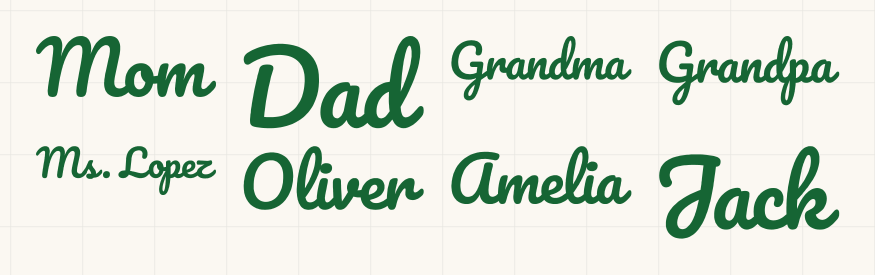
Matching family Christmas shirts SVG
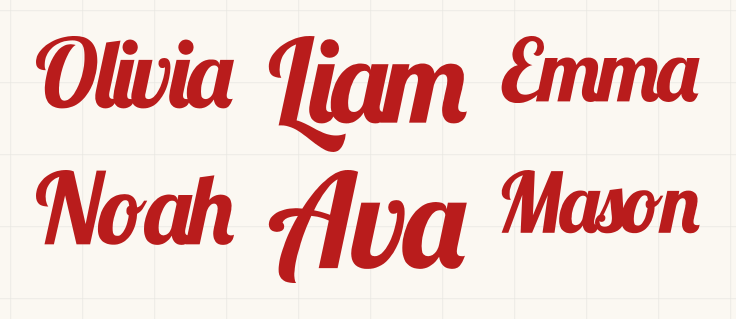
Paste everyone's name and get them all on one 12 x 24 mat, each 5 in wide and welded. One file for the whole family.
- Size
- 10.88 x 8.4 in
- Material
- iron-on (HTV)
- Cricut
- Joy Xtra, Explore or Maker (12 x 12 in mat)
- Goes on
- a set of family shirts
Opens NameSVG with this design. Change the words, size or colour, then download the SVG.
Cut it in Design Space
- Tap Make yours with your name, type your words, then tap Ready to cut. The file is named like mom-10.88x8.4in.svg.
- In Design Space, start a new project. Choose Upload, then Upload Image (Browse Files on a phone), pick the file and add it to the canvas.
- Check the size box. W should read 10.88 in. If it doesn't, keep the lock closed and type 10.88 for W.
- Click Make, pick your machine and choose your iron-on as the material. Design Space turns Mirror on for you, so don't mirror the file yourself. Put the iron-on shiny side down on the mat.
- Weed it, then press it onto the fabric with the clear carrier sheet on top. Follow your iron-on's heat and peel instructions.
Questions
What size is this sheet?
It comes out 10.88 x 8.4 in. The file name ends in the size, and in Design Space the W box should read 10.88 in. You can change the size in NameSVG before you download.
Do I need to mirror it?
No. Download it as it is. When you choose an iron-on material, Design Space turns Mirror on for you. Mirroring the file yourself would flip it twice.
Will the letters cut as one piece?
Yes. Each name is welded into one outline, so it weeds in one pull and doesn't fall apart on the transfer tape.
How many names can I put on one sheet?
Up to 6 without an account and 15 with a free account. Pro raises the limit.